Getting Started in DigCrew
First lease, first haul, and the habits that keep your pit earning.
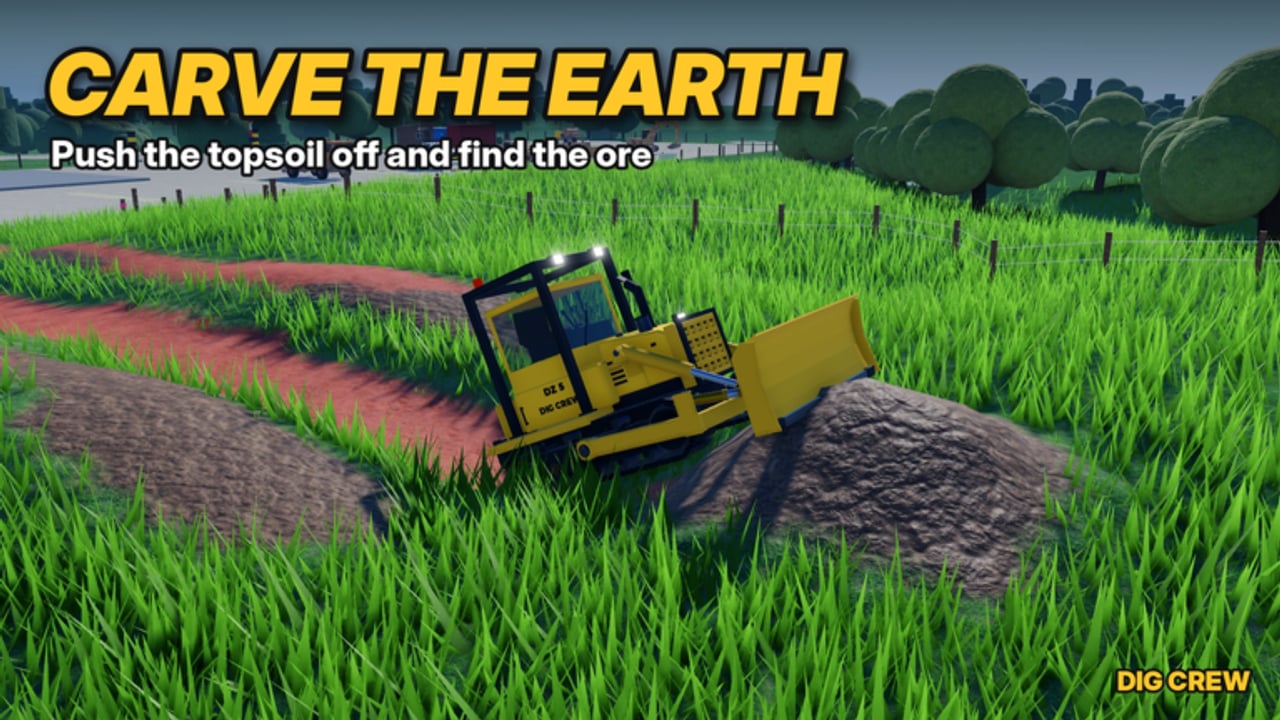
DigCrew is a Roblox mining and vehicle sim by YaBoiHyperion. You dig real terrain, load trucks, sell at the Railyard, process ore into higher-value products, and eventually hire drivers so the haul loop runs while you dig. This guide covers day one only: claim a lease, learn the starter machines, complete your first sale, and know what to unlock next. It is not the shovel RPG called DIG, and it is not Dig Crew VR.
What DigCrew is on day one
You begin with a rusty digger and a beat-up tip truck. The loop is simple: dig pay dirt on your claim, load the truck, drive to the Railyard ore buyer, sell, then reinvest. DigCrew tracks about fifty-three machines and sixteen leases across the valley and the newer ground past the ridge. Servers hold a small crew, so expect shared roads and busy yards rather than a solo private sandbox. Your pit saves how you left it, which means ramps, holes, and stockpiles matter across sessions.
Early goals are badges and cash flow, not max machines. The New Recruit badge lines up with joining DigCrew and taking your first claim. First Haul unlocks when you sell your first truckload at the Railyard. Treat those as checkpoints: claim, dig, sell, then plan the next purchase.
Claim a lease and open the pit
Join the experience from the official DigCrew place page, then focus on securing a lease you can actually work. Starter ground should be close enough to a clear haul path toward the Railyard that you are not fighting every ridge on the first hour. Dig every bucket carefully—terrain stays changed—so dig a working face and a short ramp instead of random holes you cannot drive out of.
Walk the claim before you dig deep. Mark where soft ground, water, and rock sit relative to the road. Early money comes from steady tip-truck cycles, not from chasing every glitter on the map. If you later expand into swamp platinum, Dry Flats oil, or Silver Knoll silver, you will already know how to keep a road open and a truck fueled.
Starter digger and tip truck loop
Seat the digger, fill the bucket, swing to the tip truck, and dump cleanly into the tray. Drive the tip truck to the Railyard and sell. Repeat. That boring loop is the foundation of every later system: conveyors, hired drivers, crushers, wash plants, and oil trucks all exist to make the same dig-haul-sell cycle faster.
Fuel discipline starts now. Machines stop when empty, and walking a fuel trailer across the valley wastes the cash you just earned. Keep a fuel plan next to the dig face. Dump with the tray aimed so you do not spill half the load onto the ramp. Full trays beat half trays; short clean cycles beat heroic overloaded runs that tip or stall.
When cash allows, step up from the starter pair into a real excavator, a stronger dump truck, and a conveyor that shortens the walk from face to tray. For excavator, conveyor, and dump truck footage once your first hauls are consistent, open the dedicated Conveyors guide.
Easy vs SIM controls overview
DigCrew supports Easy and SIM control styles on phone, PC, and controller. Easy favors approachable dig-and-drive inputs so new players can finish First Haul without fighting a full sim layout. SIM adds more machine-like input separation for players who want finer boom, stick, and dump control. Neither mode changes the economy; both dig the same dirt and sell at the same Railyard.
On day one, pick Easy if you are learning roads and camera angles. Switch to SIM later when excavator buckets and dump timing feel limiting. For key-by-key notes, fuel prompts, and dump tips, open the dedicated Controls page. Camera height and third-person framing matter as much as the mode toggle—keep the tray and the dig face visible while you swing.
First hour checklist
- Claim a workable lease and clear a short haul road toward the Railyard.
- Dig with the starter digger, load the tip truck, and complete First Haul.
- Refuel before the digger dies mid-swing; park fuel where the next cycle starts.
- Choose Easy or SIM, then stick with one layout for a full session.
- Bank cash for the next machine tier instead of impulse cosmetics.
- Skim Codes for any active rewards before a long grind.
- Read Make Money once you can afford automation pieces.
What to unlock after the first sale
After First Haul, your purchases should cut cycle time. Better excavators fill trays faster. Better dumps move more ore per trip. Conveyors reduce idle waiting between dig and load. Processing—crushing, washing gold, pouring bars, smelting metal—raises value per bucket once you have volume. Hiring drivers lets trucks run routes while you stay on the dig face. Each of those systems has its own guide; do not try to buy the entire Swamp Update fleet on day one.
When you are ready for mid-game cash, the Dry Flats oil path (drill, pump jack, oil truck, crude to the Railyard) is the high-capital route covered in Swamp Oil Farm. Swamp platinum needs water pumping and road tyres kept off soft mud. Silver Knoll is hard rock that wants stronger digging tools. Those leases sit past the ridge as part of the Swamp Update—learn them after the starter valley loop feels automatic.
Pit saves, contracts, and crew play
Because your pit saves, leave the site in a driveable state: ramps graded, stockpiles clear of the road, machines parked where the next session can start digging in under a minute. Weekly leaderboards, events, contracts, and rare finds reward consistent operators more than one lucky hole. Crew up when a friend can dig while you haul, or haul while you dig; eight-player servers reward coordination without requiring a huge alliance.
Where to go next on the wiki
- Controls — Easy vs SIM, dump, fuel, and camera habits.
- Machines — roster from starter gear through Swamp Update heavies.
- Conveyors — mid-game belts with excavator and dump truck pairing.
- Make Money — early cash, automation, and oil farm progression.
- Processing — crush, wash, bars, and smelt loops.
- Hire Drivers — AI haul routes and conveyor pairing.
- Swamp Platinum — dewater mud leases and haul platinum pay-dirt.
- Silver Knoll — hard rock silver with rippers and heavy excavators.
- Swamp Update — new leases and machines past the ridge.
- Tier List — community ranking of what to buy next.
- Guides Hub — full tutorial index.
Stay on DigCrew’s mining loop, keep the tip truck moving, and treat every session as practice for a cleaner haul road. Once First Haul is done and the starter digger feels comfortable, you are ready for real machine upgrades and the money guides linked above.
Frequently Asked Questions
Quick answers for DigCrew miners and haul crews.
What do I do first in DigCrew?
Claim a lease, dig with the starter digger, load the tip truck, and sell at the Railyard until you unlock First Haul. Then reinvest in faster dig or haul machines.
Should I use Easy or SIM controls as a beginner?
Start on Easy if you are new to vehicle sims. Switch to SIM when you want finer boom and dump control. Both modes work on phone, PC, and controller.
Does my dig site save between sessions?
Yes. DigCrew saves your pit how you left it, including terrain changes, so leave ramps and parking that you can reuse next time.
Is DigCrew the same as DIG on Roblox?
No. DigCrew is a mining and vehicle sim by YaBoiHyperion. DIG is a separate shovel-focused game—do not mix their guides or codes.