DigCrew Guides
Walkthroughs for first haul, machines, money, swamp oil, and leases.
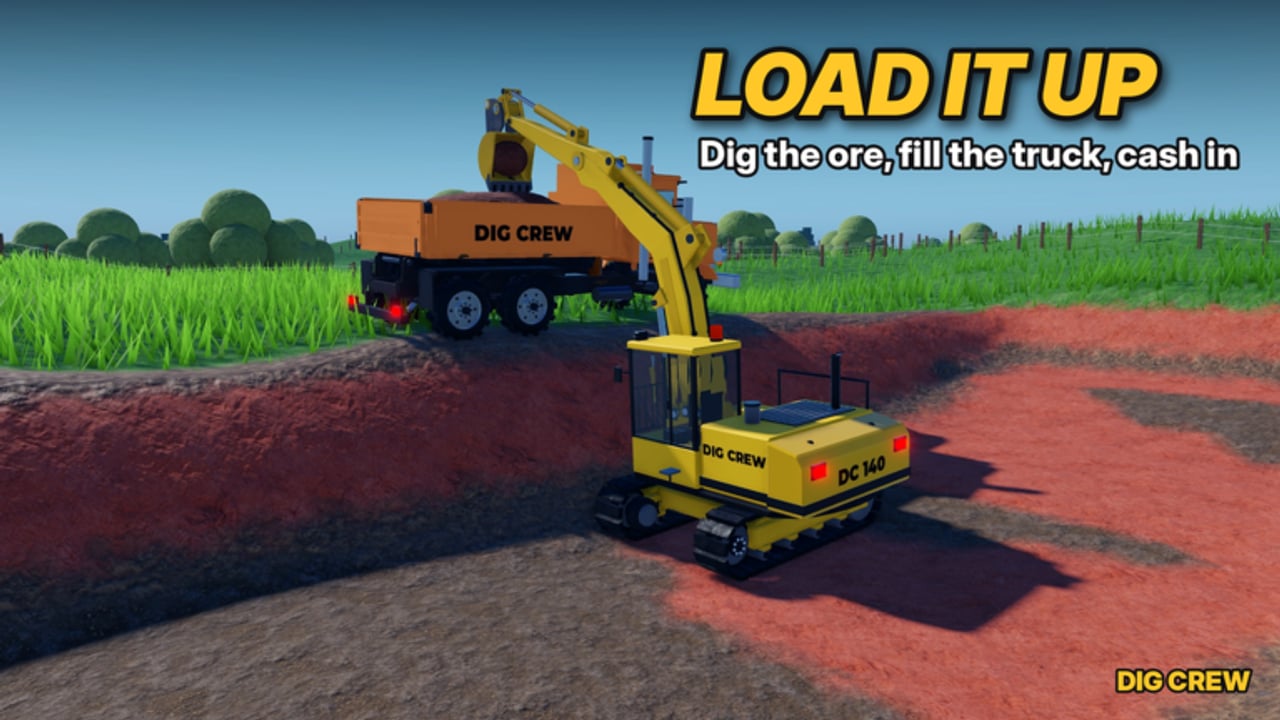
Welcome to the DigCrew Guides Hub. DigCrew is YaBoiHyperion’s Roblox vehicle mining sim where every bucket reshapes real terrain, every haul ends at the Railyard, and every reinvest decision grows a fifty-three machine fleet across sixteen leases. These guides turn that fantasy into a practical checklist: what to do in the first hour, which machines repay fastest, how processing multiplies ore value, and how Swamp Update leases change the endgame.
Start here if you are new, then branch into the specialized pages linked below. All internal links use trailing slashes and stay locale-agnostic so French, German, Spanish, and Brazilian Portuguese builds resolve correctly after generate.
Beginner path
Getting Started
Day-one DigCrew coverage for Easy versus SIM controls on phone, PC, and controller. Learn the starter digger and tip truck loop, find the Railyard ore buyer, claim your first valley lease, and unlock the New Recruit and First Haul badges without wasting cash on vanity machines. Read this before you open the shop for a 200T.
New players should finish Getting Started, then skim the Tier List Hub so early purchases match the early-game column instead of the late-game showroom.
Money and machines
Make money
Cashflow priorities from raw dirt sales to crushed, washed, and smelted product. Covers when to hire drivers, how haul routes save time on eight-player servers, and why processing pads matter before you spam extra excavators. Pair it with contracts, weekly leaderboards, and rare finds once the basic loop is automatic.
Machines
Roster-oriented notes for excavators, haulers, processors, oil gear, and road tools. Use it when the tier list tells you a machine is S-tier for your stage but you still need placement, fuel, or terrain tips. Includes Swamp Update highlights such as the 200T, Swamp Long Reach, Mega Haul Rig, mobile crushers, wash plant, dewatering truck, Truck & Dog, paver, roller, and ripper claws.
Mid-game belts
Conveyors
Buy and place mid-game conveyor belts (community ~35k class), pair them with an excavator and dump truck, respect belt feed limits, keep power and fuel on, and hand the load bay to hired drivers. Use this when tip-truck-only cycles leave your digger idle between trays.
Swamp Update routes
Swamp oil farm
Dry Flats oil walkthrough: drill, place pump jacks, buy tank support, keep jacks fueled, and truck crude to the Railyard. Players who scale multiple jacks report steady high income, but only if the fluids truck and tanks are part of the build.
Swamp platinum
SWAMP lease platinum pay-dirt under mud: dewatering truck first, keep road tyres off soft ground, dig with Swamp Long Reach from firmer footing, and haul to the Railyard. Contrasts cleanly with Dry Flats oil pads and Silver Knoll rock.
Silver Knoll
Hard rock silver past the ridge—why valley dirt tools fail, how ripper claws and 200T excavators open the face, when Mega Haul and paver/roller access matter, and which co-op roles keep the bench clear.
For patch context, open the Swamp Update notes and the broader Updates Hub.
Planning tools and co-op
Tools — lease unlock planner
Progression checklist from valley starters through ridge swamp, oil, and silver leases. Use it when you are unsure which lease to buy next or which support machine unlocks that biome.
Players Hub
Badges, weekly leaderboards, hiring drivers, and crew roles for DigCrew’s eight-player servers. DigCrew is online co-op friendly: one player can dig while another manages haul routes or processing.
Codes, scripts, and links
- Codes Hub — DigCrew currently has no verified promo codes; DIG shovel-game codes do not work here.
- Scripts Hub and How to use scripts — honest scarcity notes and safety warnings, no fake DigCrew loadstrings.
- Official Links — Roblox place link, YaBoiHyperion credit, fan wiki disclaimer.
How to read DigCrew guides efficiently
- Skim the hero summary and FAQ on each page for the short answer.
- Follow the mid-article steps in order; DigCrew punishes skipping haul capacity.
- Jump to linked hubs when a guide mentions machines, updates, or leases you have not unlocked.
- Revisit after patches. Terrain leases and shop prices can shift when YaBoiHyperion ships content.
- Play in a stable eight-player crew when possible so drivers and diggers specialize.
What these guides will not do
We will not invent DigCrew promo codes, paste unverified script loadstrings, or confuse DigCrew with DIG or Dig Crew VR. Facts stay aligned with the live Roblox experience: released 11 October 2026, place 121026651633542, universe 10770299564, server size 8, online co-op, Swamp Update leases for platinum, oil, and silver.
If you only open one page after this hub, choose Getting Started as a new miner or Make money once your first tip truck run already feels automatic. Then deepen with machines, swamp oil, and the lease planner until your claim looks like the biggest mine in the valley.
Frequently Asked Questions
Quick answers for DigCrew miners and haul crews.
Which DigCrew guide should I read first?
Start with Getting Started for controls and First Haul, then move to make money and the tier list.
Do you cover the Swamp Update?
Yes. See swamp oil farm, swamp platinum, Silver Knoll, Swamp Update, and ridge planning inside Tools.
Where are machine rankings?
Use the Tier List Hub for early, mid, and late game value, then machines for roster detail.
Are DigCrew codes listed in the guides?
Codes live on the Codes Hub. DigCrew has no verified working promo codes as of November 2026.
Is DigCrew co-op?
Yes. DigCrew supports online co-op on servers with up to eight players. See the Players Hub for crew and driver tips.