DigCrew Controls: Easy vs SIM
Phone, PC, and controller layouts that keep buckets full and trucks moving.
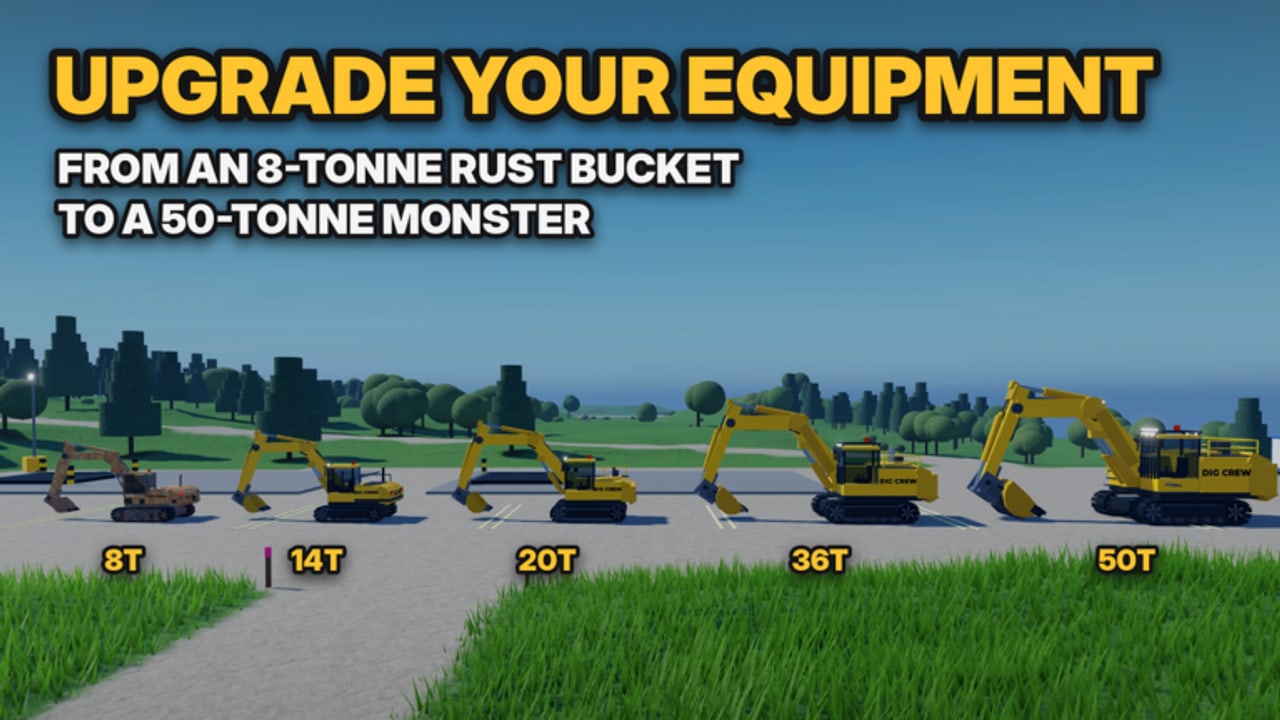
DigCrew lets you run heavy machines with Easy or SIM control styles across phone, PC, and controller. The economy does not change with the mode—you still dig terrain, fill trays, and sell at the Railyard—but the feel of boom, stick, dump, and drive inputs does. This page explains how to choose a mode, how common machine actions feel in practice, and which habits stop you from spilling loads or running dry mid-swing.
If you are brand new, pair this page with Getting Started. When you are ready to spend cash on better gear, jump to Machines and Make Money.
Easy vs SIM at a glance
Easy compresses excavator and truck actions into friendlier inputs. It is the right default for your first lease, First Haul badge, and learning valley roads. You spend attention on where dirt goes, not on fighting a full lever map.
SIM separates machine functions more like a traditional sim. Boom, stick, bucket, swing, and dump take clearer independent inputs. Choose SIM when Easy starts to feel like it is capping how precisely you can dress a face or place a conveyor feed.
Both modes are first-class on phone touch, keyboard/mouse, and gamepad. DigCrew advertises that support explicitly—do not assume you need a PC to progress. If a friend on controller digs faster than you on keyboard, the difference is usually practice and camera setup, not a hidden PC-only buff.
Phone, PC, and controller habits
On phone, keep thumbs free for drive and dig clusters, and use a stable camera distance so the tray edge stays readable. Avoid max zoom that hides the dump target. Park the tip truck where the digger can swing without nudging the phone into constant camera corrections.
On PC, keyboard drive (WASD-style movement) pairs with mouse look for most players. Community sessions often mention Space for enter/interact style actions on machines and G together with Space when configuring or powering certain equipment such as conveyors—if Space alone does nothing, try the G then Space sequence players use when a belt will not start. Exact prompts can vary by machine, so watch the on-screen hints when you seat a new unit.
On controller, map dig and dump so you are not hunting the pad while the bucket is full. D-pad or stick assignments for boom travel should stay consistent between sessions; muscle memory beats constantly reopening settings. If a stick feels inverted after you switch Easy/SIM, fix it before you dig a trench you cannot drive out of.
Digging: buckets, swing, and face work
Excavators win by filling the bucket, swinging to the tray, and dumping without half loads. Start the dump motion as you arrive over the tray instead of pausing dead-center every cycle. Keep the dig face square enough that the next bucket is obvious. Random holes force extra tracking and fuel burn.
When the face drops, cut a ramp early. DigCrew terrain is persistent—your pit saves—so a bad trench today is still there tomorrow. Grade with the bucket or a dozer-style pass before the hole becomes a trap for road-tyre trucks. In swamp leases later, that habit matters even more because soft mud punishes road tyres that leave the prepared path.
Dumping and haul controls
Tip trucks and dump trucks need clean tray timing. Raise the tray only when the buyer or stockpile is ready, then lower before you roll so you do not catch the bed on a ridge. On longer Railyard runs, brake earlier than you think; heavy loads push wide on corners shared with other crews.
Oil trucks and fluid-related rigs follow the same rule with higher stakes: a dry or stalled tanker wastes the pump jack that filled it. Treat dump and drive inputs as part of the money loop, not as an afterthought once the digger is upgraded.
Fuel, power, and “why did it stop?”
Fuel empties faster than new players expect—crew videos constantly pause to refuel excavators and oil gear. Keep a fuel trailer or tank staged at the dig face and at any pump jack you own. If a machine “dies” mid-animation, check fuel before you assume a control bug. Conveyors and powered plant pieces may need an explicit on/interact step (Space / G patterns mentioned above) after you place or reconnect them.
Company and fleet menus let you manage owned machines, including selling unwanted vehicles for a partial refund. Learn where fleet lives in the company UI so you can clear clutter without abandoning a working digger by mistake.
Camera tips that raise buckets-per-minute
- Frame the dig face and the truck tray in one view whenever possible.
- Raise camera height on uneven leases so ramps stay readable.
- On oil pads, keep the drill/pump jack and tanker hookup visible while you seat the truck.
- After placing conveyors, orbit once to confirm feed height before you walk away.
- In swamp mud, watch tyre tracks—if the camera hides the road edge, you will sink a road-tyre truck into soft ground.
Practice drills (ten minutes)
- Dig ten full buckets into a parked tip truck without moving the truck.
- Drive one full tray to the Railyard and sell without spilling on the last turn.
- Refuel the digger, then repeat the ten-bucket set.
- Toggle Easy and SIM once, dig five buckets in each, and keep the mode that felt cleaner.
- Place or adjust a conveyor feed height and power it on with the interact keys the prompt shows.
Controls paired with progression
Controls skill multiplies every purchase. A Machines upgrade is wasted if you still spill half trays. Processing lines need precise dumping into crushers and wash plants. Hire Drivers only helps if your haul routes are driveable. Swamp Oil Farm demands flat pads within about half a metre and constant fuel discipline on jacks and oil trucks.
When patch notes change machines—see Swamp Update for the ridge leases—revisit this page and re-bind anything that feels off. DigCrew keeps adding specialized gear (long-reach excavators, dewatering trucks, Mega Haul Rig, and more), but the same Easy/SIM choice and the same fuel-dump-camera habits still decide whether the new toy earns or sits idle.
Quick reference
| Topic | Practical takeaway |
|---|---|
| Easy | Best for first hours and learning roads |
| SIM | Best when you want finer boom/dump control |
| Platforms | Phone, PC, and controller are all supported |
| Interact tips | Watch prompts; Space and G appear in player setups for some machines |
| Fuel | Stage fuel at face and at oil gear |
| Camera | Keep tray and face visible together |
Master the mode you enjoy, then spend attention on haul roads and machine upgrades. Clean controls turn the starter tip truck into a real company—and they keep Swamp Update machines profitable instead of decorative.
Frequently Asked Questions
Quick answers for DigCrew miners and haul crews.
What is the difference between Easy and SIM controls?
Easy simplifies dig and drive inputs for new players. SIM separates machine functions for finer boom, stick, and dump control. Both work on phone, PC, and controller.
How do I turn on a conveyor or similar machine?
Use the on-screen interact prompt after seating or selecting the equipment. Players often use Space, and sometimes G then Space, when a belt will not start—follow the prompt for that machine.
Why did my excavator stop mid-dig?
Check fuel first. DigCrew machines run out quickly; stage fuel at the dig face and refuel before long swings.
Can I play DigCrew well on a phone?
Yes. DigCrew supports Easy and SIM on phone. Keep camera distance readable and park trucks where thumbs can dig and dump without constant view fighting.